If someone is not receiving email notifications, verify the following information.
Email troubleshooting
Verify the email address is correct
Verify the email address is entered correctly and there are no spelling errors such as:
Spam/junk folders
Check all folders (e.g., spam, receipts, junk, etc.) to verify the email was not marked as spam/junk. Run a search in the spam/junk folder separately, as these results do not populate during inbox searches. For email notifications search for key terms of the expected notification (e.g., Alarm, arm, disarm, panel, etc.).
If the email was marked as spam/junk, add the From Address to the safe senders list.
Email filters and rules
Verify the email was not placed into another folder via filters/rules. Users should be able to view the filter/rules created when on a web browser. This option may not be available when checking email on a mobile browser or mobile app (i.e., phone/tablet).
Method used to access email
Are you accessing email from an app, web browser, or desktop (e.g., Gmail app versus mail.google.com)?
Certain apps run their Inbox differently so filters cannot be checked, and emails may be more difficult to locate. For best results, move to a desktop version of the email service.
Blocked senders list
If the From Address is on your blocked senders list, remove the domain from the blocked senders list and add the domain to the safe senders list.
Inbox storage capacity
If the inbox has reached its storage capacity, the email address may not be able to receive emails. You may need to delete old emails, or set up a new email address to receive emails.
Private email address
Is your email address a private email address instead of a public email, like Hotmail or Gmail?
If you have a private email address, there may be a firewall or email filtering that may be beyond your control. If this is the case, contact your IT professionals. To verify this is the cause, change your account's email address to a popular email service (e.g., Hotmail, Gmail, or Yahoo, etc.), and then trigger a notification to send.
Missing email troubleshooting provided by their email service provider
If the preceding steps do not resolve the behavior, you can contact their email service provider to attempt missing email troubleshooting.

 .
.  .
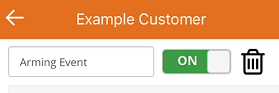
.
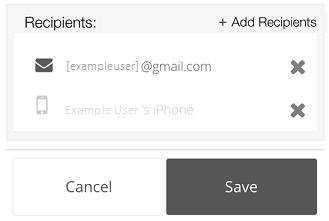
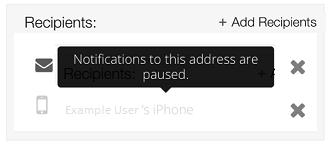
 on the notification you are expecting to receive.
 next to their address.
 .jpg?revision=1&size=bestfit&width=300&height=149)
