If the panel supports silencing alerts: 
Alerts can be silenced from the Severe Weather Alerts card, or it can be silenced and paused for the next four hours from the Severe Weather Alerts information page.
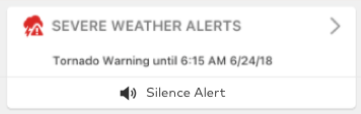
- To silence an alert from the Severe Weather Alerts card:
- Tap Silence Alert.
- In the message that pops up, tap Silence to confirm and dismiss the alert at the panel.
- To silence and pause the alert from the Severe Weather Alerts information page:
- Tap
 on the Severe Weather Alerts card to navigate to the Severe Weather Alerts information page.
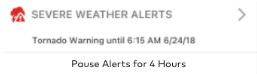
 - Tap Silence For 4 Hours.
- In the message that pops up, tap Confirm to silence and pause alerts for the next four hours.
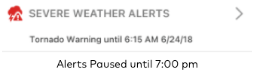
- After the panel is silenced for 4 hours, the user has the ability to re-enable alerts by tapping Enable Alerts. This button replaces the location of the Silence For 4 Hours button until alerts are re-enabled or the end of the four hours. The time of when the alerts are paused until also displays on the page.
- Tap
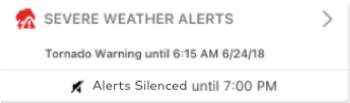
When the alert is silenced, the card on the home page displays Alert Silenced:
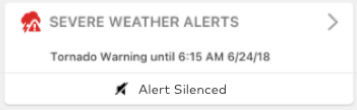
When the alert is silenced and then paused for four hours, the card displays Alert Silenced until [time]: