To locally operate the Smart Thermostat HD:
Thermostat
❶ Status LED
❷ Button
Display
❸ Settings menu
❹ Current setpoint
❺ Indoor temperature
❻ Current mode

Wake up the device
- Tap the screen to wake the thermostat up.
- After waking, the thermostat will display the current temperature, mode, and a greeting.
Change the setpoint
- In the desired mode, tap
 or
or  to adjust to the desired Target temperature.
Note: In Auto mode, two sets of arrows will appear to control both Cool and Heat targets. The icon that appears in Mode will display the current performing mode.
Change the mode
- Tap Mode on the screen at any point to change the mode.
- In the Mode menu, tap to select the desired mode.
- The modes are:
- Heat
- Cool
- Auto
- Emer
Note: EMER mode is available for some Heat Pump systems. - Off
- The modes are:
- Tap Save.
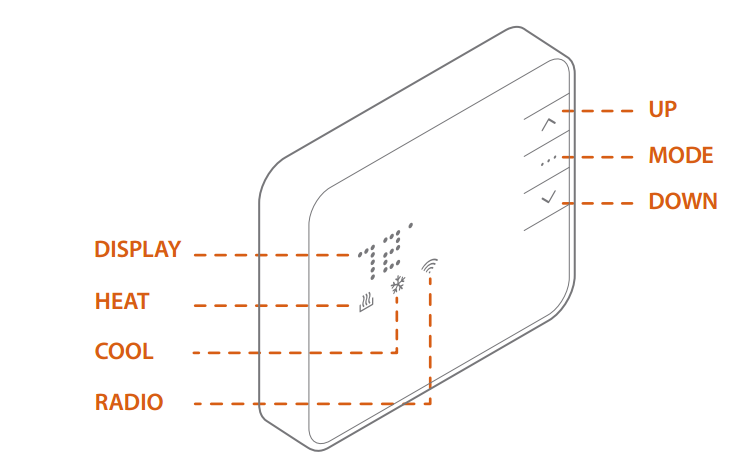
 Heat or
  Cool will begin to pulse.
 at any time to change the mode.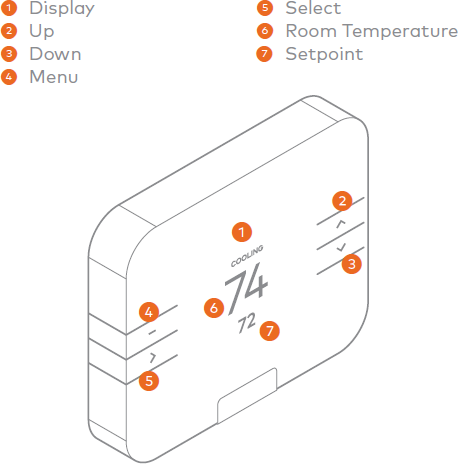
 button.