Configure Face Recognition for unexpected activity on a Qolsys IQ Panel 2
You can monitor for unauthorized code sharing and receive alerts whenever the person using a disarm code is different from the person assigned to that code. These alerts include a disarm image taken at the panel, so you can see who accessed your properties and take immediate action as needed.
Requirements
The following are required to configure Face Recognition for unexpected activity:
- Qolsys IQ Panel 2 with firmware version 2.3.0+
- The panel must be connected to Wi-Fi to upload images
- The Capture Panel Camera Disarm Images automation rule must stay enabled
- Each person disarming the panel has their own access code
- Face Recognition is available for customers in the US only
If you are unable to see the option to configure Face Recognition, contact your service provider.
To configure Face Recognition:
You must opt in to Face Recognition, review/verify disarm images, and then verify the Unexpected Activity notification is configured as desired. All disarm image uploads including those uploaded for calibration will count against the upload limit.
Note: Image analysis data is stored on secured servers and not shared with any third party. You can opt-out at any time, but opting out removes all Face Recognition data from the servers.
Opt in to Face Recognition using the Alarm.com customer website:
Important: You must use the primary account login information to turn on Face Recognition.
- Log into the Alarm.com customer website using the primary account login.
- Click Settings.
- Click Face Recognition.
- Review a brief description of the feature, and accept the user agreements.
- Once required agreements are accepted, the system is enabled to begin collecting disarm images to review for Face Recognition. It is recommended for each user to disarm the panel multiple times over the next few days so the system can collect disarm images for accurate face recognition.
The following image displays the Face Recognition page after you opt in. After allowing a few days for the system to collect images, you can click Get Started to navigate to the website's Users section to continue the configuration. 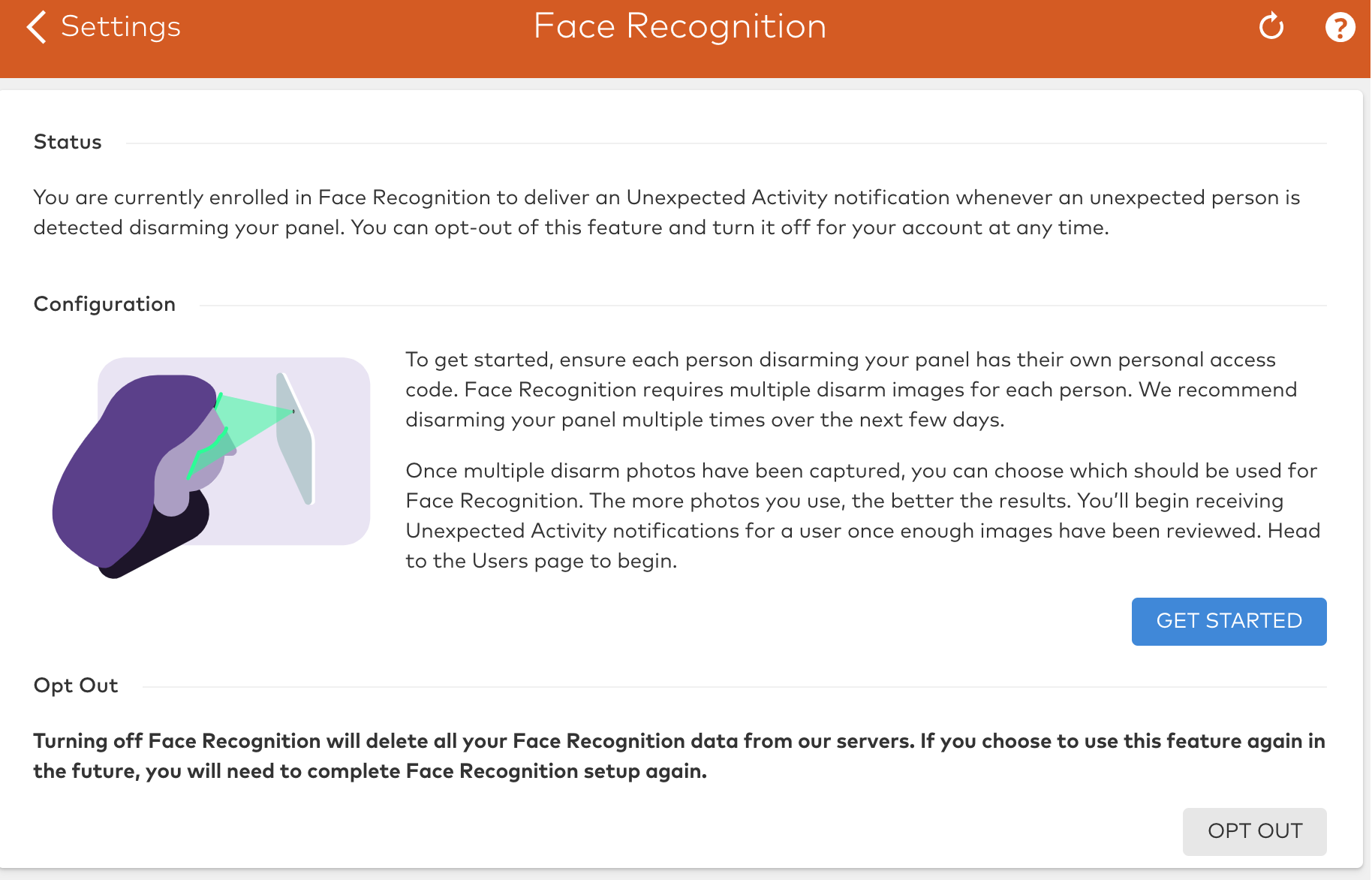
Review/Verify disarm images using the Alarm.com customer website:
After allowing a few days for the system to collect disarm images, check back on the Alarm.com customer website to review and verify the images. Verification of a minimum of 10 images of a user's face is required to enable Face Recognition for their access code; 20 image are recommended for maximum accuracy.
Important: You must use the primary account login information to review and verify disarm images for Face Recognition.
- Log into the Alarm.com customer website using the primary account login.
- Click Users.
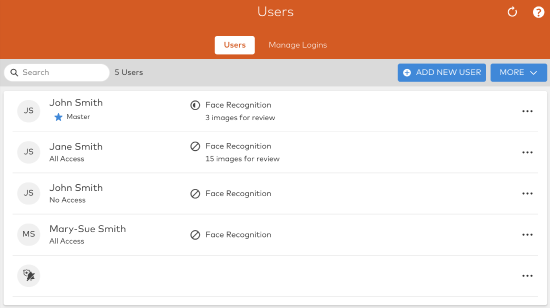
- Click to select the user to review the images for Facial Recognition.
- In Facial Recognition, click Calibration.
Note: If a user is disarming the panel but disarm images are not showing on the Users image review page, see Disarm images are not uploading.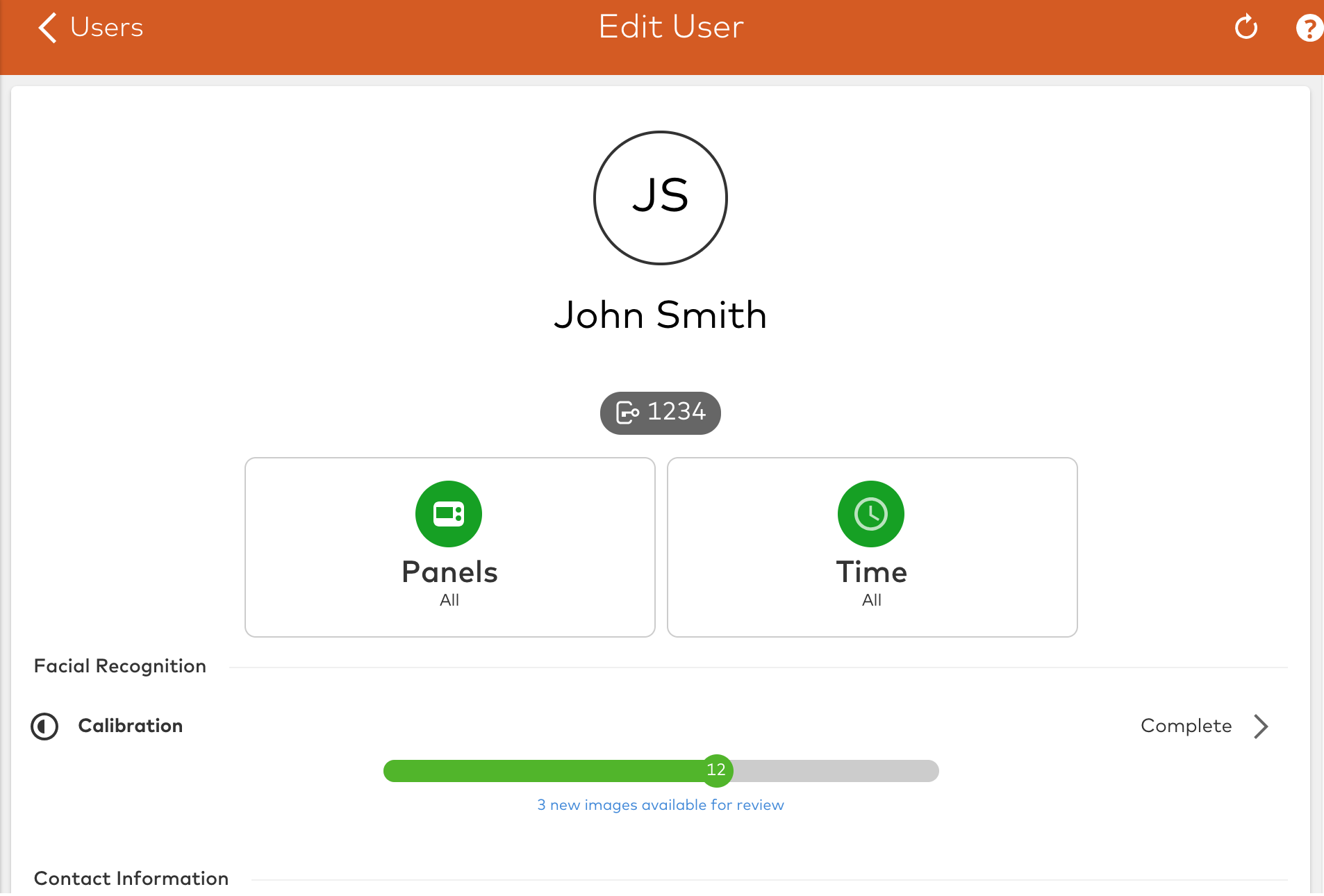
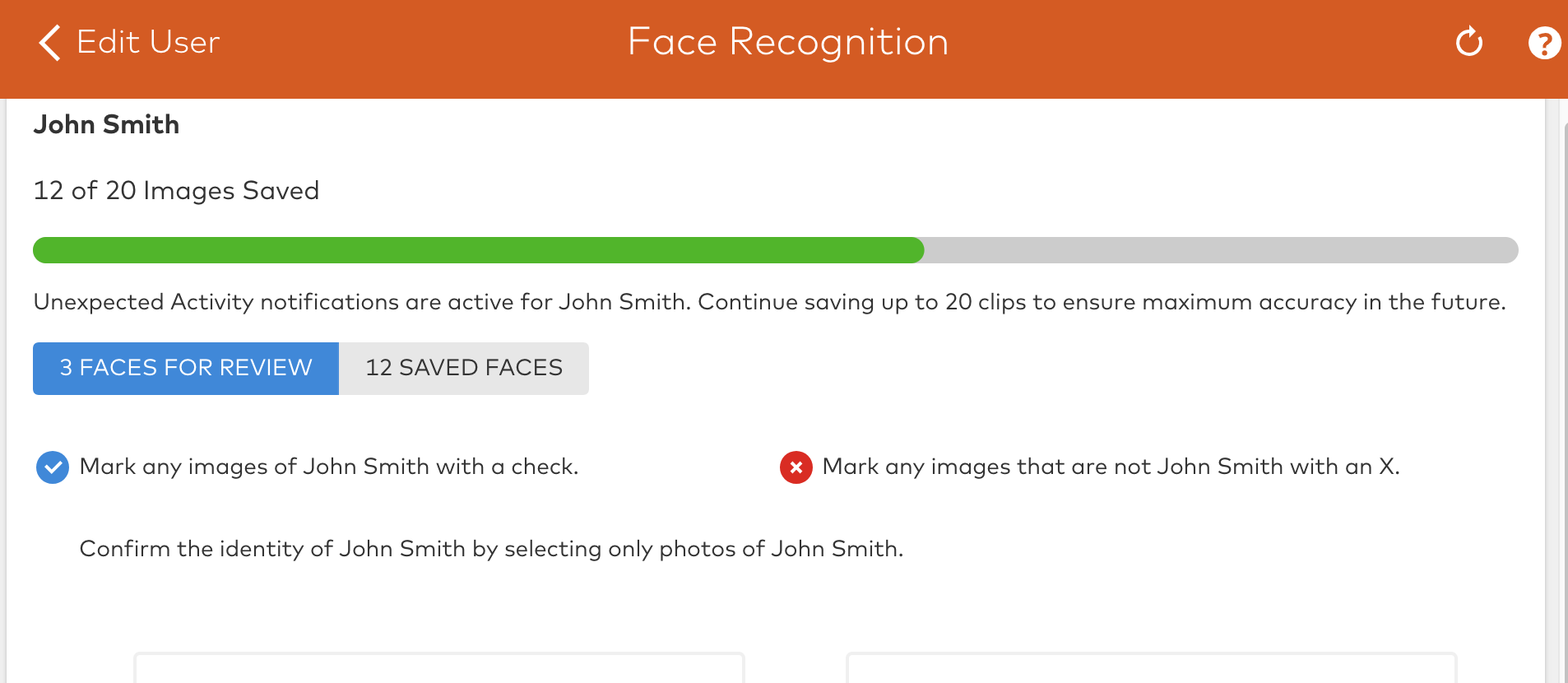
- For each disarm image to review, click
 to mark correct images of the user or click
  to mark images that are not of the user.
 - The process of approving images teaches Face Recognition who each user is. Customers should only approve images that show the users' face. It only matters that the face has been captured, it is not important to determine whether the images are good.
- The process of approving images teaches Face Recognition who each user is. Customers should only approve images that show the users' face. It only matters that the face has been captured, it is not important to determine whether the images are good.
- Complete this process for each person that is assigned a unique access code for the system. A user must have at least 10 verified disarm images to enable Face Recognition for their access code.
Verify Unexpected Activity notification is configured:
Once the Unexpected Activity notification is configured using the Alarm.com app or Alarm.com customer website, alerts are sent any time the face of a person using a disarm code does not match the face of the person assigned that code. Depending on how the notification is configured, the system also notifies if no face is detected when using a disarm code.
To configure the Unexpected Activity notification using the Alarm.com app:
- Log into the Alarm.com app.
- Tap
 .
. - Tap Notifications.
- Tap
 .
. - Tap to select the Unexpected Activity notification.
- Verify the notification is toggled on, and is configured with the desired Facial Recognition settings and recipients.
- Tap Save.
To configure the Unexpected Activity notification using the Alarm.com customer website:
- Log into the Alarm.com customer website.
- Click Notifications.
- For the Unexpected Activity notification, click
 .
. - Verify the notification is toggled on, and is configured with the desired Facial Recognition settings and recipients.
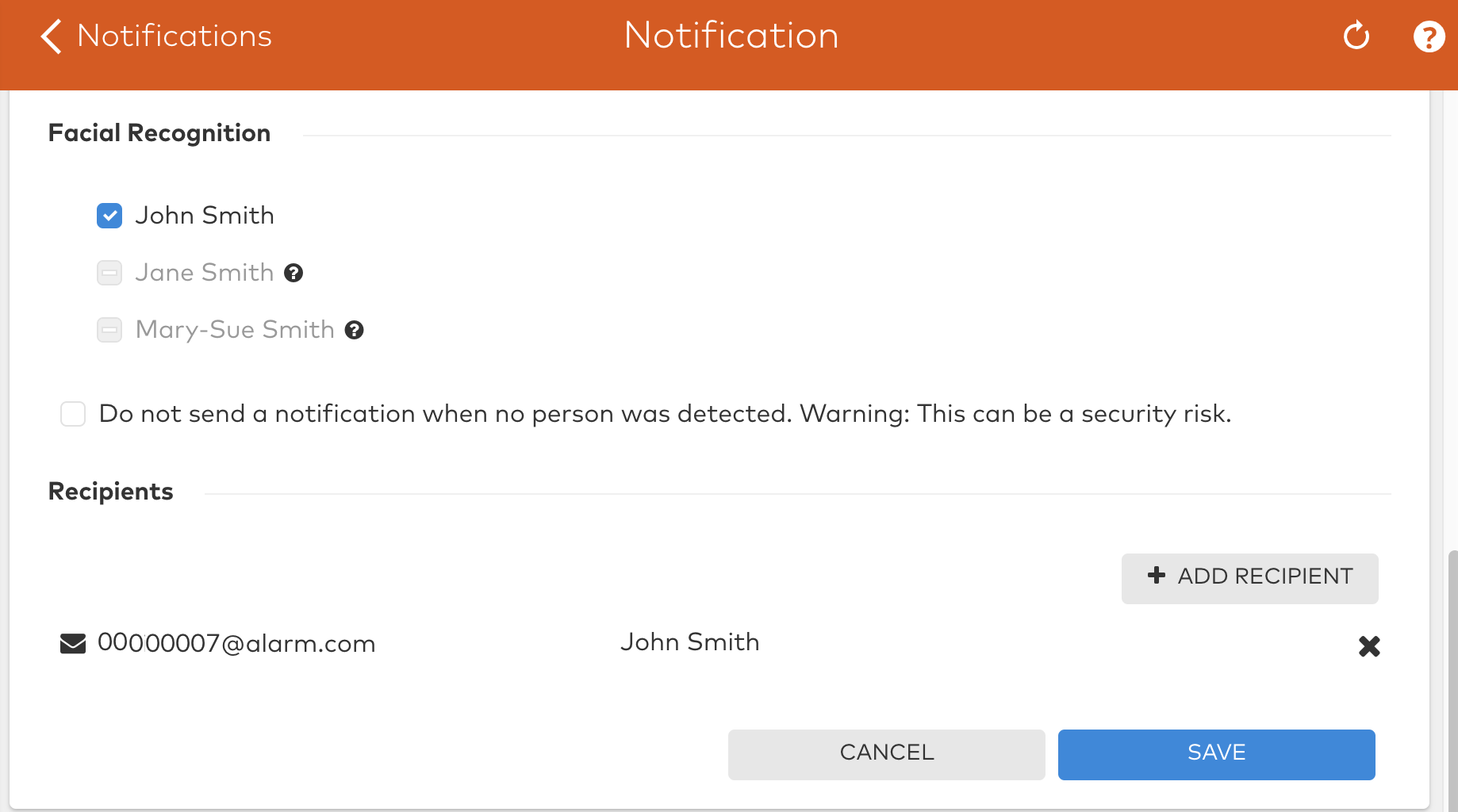
- Click Save.
Troubleshooting
Disarm images are not uploading
If a user is disarming the panel but disarm images are not showing on the Users image review page:
- Verify if the disarm image appears in the Images event gallery. For information about navigating to the event gallery, see View the Image Sensor Gallery.
- If the user's disarm image still appears in the Images event gallery but is just not appearing on the Users image review page, then the face may not be detected due to darkness/lighting, distance from the camera, motion blur, or an obstructed view.
- To identify why a face is not being detected, navigate to the Users image review page for the user, and click X images were invalid for face recognition to view all disarm images that were invalid.
- If the disarm images do not appear on the event gallery page:
- Verify the Capture Panel Camera Disarm Images automation rule is enabled. To resolve, try turning the rule off and then turn it back on. For more information about enabling this rule, see Configure Qolsys IQ Panel 2 Camera image uploads for alarms or local disarms.
- Verify your image upload limit has not been reached. For more information about the monthly upload limit, see How many Image Sensor images can be uploaded per month?.
- If the user's disarm image still appears in the Images event gallery but is just not appearing on the Users image review page, then the face may not be detected due to darkness/lighting, distance from the camera, motion blur, or an obstructed view.
Users are not receiving notifications
If a user is not receiving a notification when an unexpected person disarms their panel, verify:
- The user associated with the access code is successfully enrolled.
- On the Alarm.com customer website, navigate to the Users page and verify that at least 10 valid images have been approved for the user. For more information about verifying images, see Review/Verify disarm images using the website.
- The Unexpected Activity notifications for this user are enabled.
- The user may have been manually turned off to trigger the notification. Edit the Unexpected Activity notification, and verify the user’s name is selected in Facial Recognition. For more information about editing the notification, see Verify Unexpected Activity notification is configured.
- The customer is selected as a recipient for the Unexpected Activity notification.
- Edit the Unexpected Activity notification, and verify the user is listed as a recipient for the notification. If they are not listed, click Add to add or select an address book recipient.