Cancel or Verify Alarms using the app
Cancel/Verify Alarms allows you to respond to alarm events directly and to communicate to a monitoring station when the cause might be accidental or a real emergency. If you wish to opt-in to the Cancel/Verify feature, contact your service provider.
Important: Cancel/Verify only appears when the panel has registered that sensors have been tripped and the system is in an alarm state. When Cancel/Verify has been activated, only logins with Master level permissions on the account can interact with it. Any login with a permission level less than Master cannot view or use the feature.
.png?revision=2)
To cancel or verify an alarm using the Alarm.com app:
- Once the system is in alarm, log into the app.
- Cancel/Verify remains active in the app until 2 minutes past the alarm signal was sent.
- During the 2-minute countdown, quickly review video cameras or communicate with those at home.
- Press and hold Cancel Alarm or Verify Alarm until the alarm has been canceled or verified.
- A confirmation screen pops up to let you know the signal has been canceled or verified.
Frequently asked questions
Why use Cancel/Verify?
The Cancel/Verify monitoring station-supported feature has the potential to help reduce the number of accidental alarm dispatches made each year. You can quickly resolve an alarm situation with the press of a button if the cause is known, accidental, or emergency.
Additionally, accidental dispatches can result in fines at all levels of accountability: you, service providers, and monitoring stations — not to mention distracting emergency personnel from potential real emergencies. With the press of a button and without needing to wait for a call from a monitoring station, an entire situation can be resolved saving time and money.
When can Cancel/Verify be used?
Whenever an alarm is triggered at the home location and the entry delay timer has elapsed, the alarm signal is sent to the monitoring station, and the Cancel/Verify card appears in the Alarm.com app. Cancel/Verify appears for all alarm events but does not appear in the Alarm.com app outside of an alarm event.
Who can use the feature once it is activated?
The Cancel/Verify feature is included with any type of interactive service package and once it is activated, only the primary login or users with Master Control on the account can interact with it. Any logins with permission levels less than Master cannot view or use the feature.
Can Cancel/Verify be used with Linked Logins?
No. Cancel/Verify is only available to individual accounts.
How long is Cancel/Verify active during an alarm?
Cancel/Verify remains active in the Alarm.com app until 2 minutes past the alarm signal was sent.
What does the two-minute counter represent?
The two minutes is the estimated amount of time for a monitoring station to receive, process, act on, and dispatch based on an alarm signal or event. Response times vary between monitoring stations so your signal may be sent after dispatch has occurred while still in the 2-minute Cancel/Verify window. Monitoring stations still receive the signal if sent before the time has elapsed and may adjust their response accordingly.
Are alarm signals held until a Cancel/Verify button is pressed?
No. All alarm signals still send as expected and no communications are inhibited in any way. You can interact with the Cancel/Verify buttons once the signal has been sent to and received by the monitoring station.
What happens when you press a button?
When you press and hold either False Alarm or Confirm Alarm, a signal is sent from the Alarm.com app through Alarm.com’s backend to the monitoring station and communicates the selection. Depending at what stage the monitoring station is at with handling the original alarm signal, the selection may resolve situational concerns or may help influence post-dispatch communications between the monitoring station and the emergency personnel.
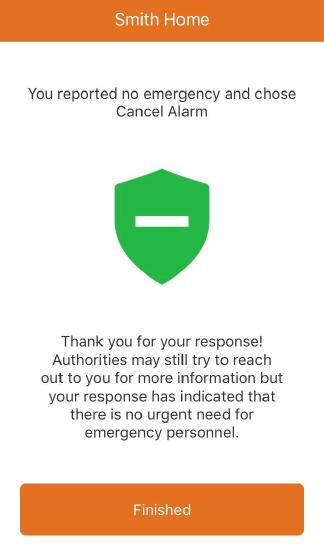
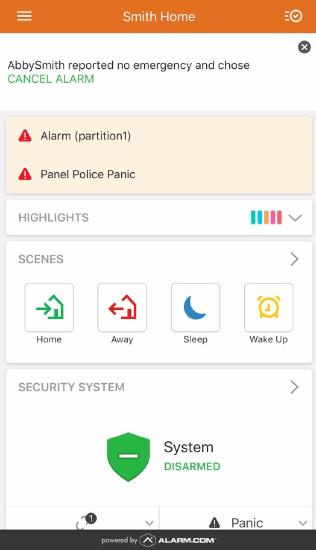
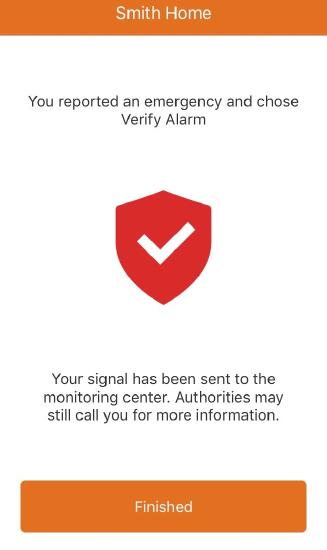
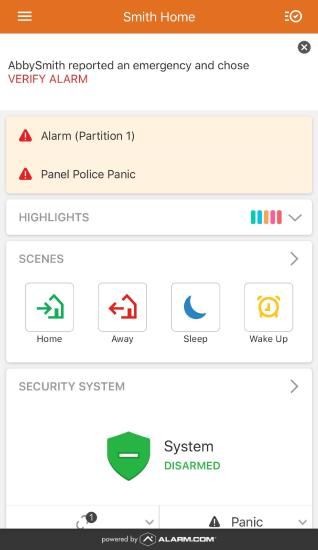
The following are examples of what is shown when canceling or verifying an alarm using the Alarm.com app:
| Cancel Confirmation | Verify Confirmation |
|---|---|
When pressing False Alarm, a disarm signal is sent to the panel, similar to disarming directly at the panel. The following is what is shown when submitting a Cancel response to an alarm event:
The following is the confirmation message that appears on the Alarm.com app home page after submitting a Cancel response to an alarm event:
| When pressing Verify Alarm, the alarm signal is verified and sent to the monitoring station. The following is what is shown when submitting a Verify response to an alarm event:
The following is the confirmation message that appears on the Alarm.com app home page after submitting a Verify response to an alarm event:
|
What if multiple users attempt to Cancel/Verify an alarm from different devices?
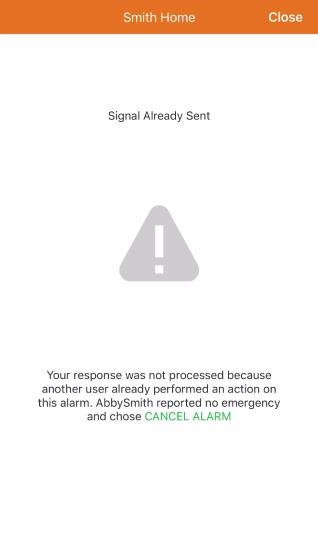
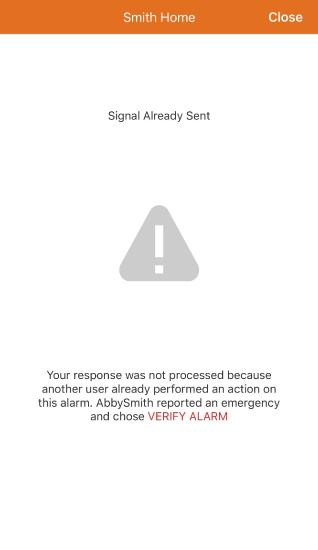
Only the first user to enter the Alarm.com app and respond with a Cancel or Verify has the corresponding event code forwarded to the monitoring station. Any other users attempting to submit a simultaneous response are presented with a Signal Already Sent Cancel or Signal Already Sent Verify message.
Signal Already Sent examples:
Why is there a five-minute refresh period?
Alarms triggered within a five-minute period are likely linked to the same situation. Monitoring stations still receive all alarms as expected, the Cancel/Verify signal provides a contextual clue to the cause/urgency, and the reps can interpret the scenario based on the signal sent from you. The monitoring station may deem within its protocol to still call in any situation as a follow-up, as each monitoring station is individually consulted before providing support for the features.
How can I get Cancel/Verify?
Contact your service provider for more information about supported features. If your service provider does not support Cancel/Verify, ask whether the monitoring station supports it. Service providers can work directly with monitoring stations to determine which features are supported.